Compare · Stoa and Sunsama
Sunsama for teams? How a team-first daily planner differs.
Sunsama is a thoughtful daily planner for individual professionals. Stoa borrows the same habit, planning the day on purpose, and applies it to a whole team, so plans can be checked against each other.
Written on , from Sunsama’s public website (sunsama.com) and our own product. Products change; check Sunsama’s site for their current features and prices. Sunsama is a trademark of its owner, and this page is not affiliated with or endorsed by them.
What Sunsama does well
Sunsama is a daily planner built around a guided ritual. Each morning it walks you through choosing today’s tasks, estimating them, and fitting them into your calendar with timeboxing. Each evening, a shutdown ritual helps you review the day and close it. It pulls tasks in from many tools, including Asana, Trello, Jira, Gmail, Slack, Microsoft Teams, and your calendars, and it offers weekly objectives, a focus mode with Pomodoro timers, and analytics on where your time went.
For a person who wants a calm, intentional day across many inboxes, it is one of the best-known tools of its kind. It does not have a free plan, and offers a free trial without a card.
Where a team needs more
Sunsama is designed around one person’s day. When a team plans that way, each plan can be excellent on its own and still not work together: the review Sam needs is not in Ahmed’s day, or two people both assume the other is doing the client call. Personal planners are not built to compare plans across people, because that is not their job.
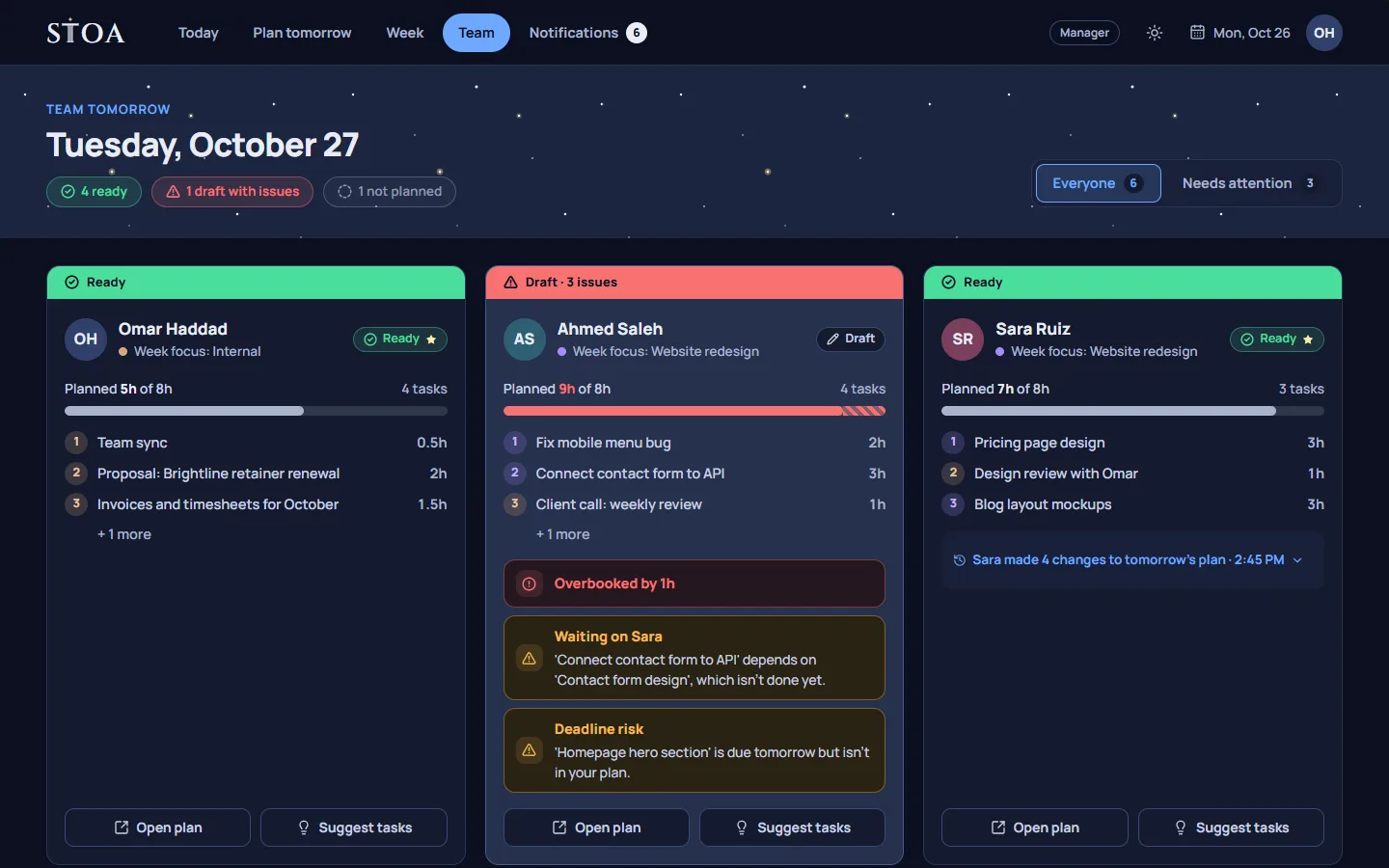
Stoa starts from the team. Everyone plans tomorrow the evening before, and the tomorrow check reads those plans together. It flags a task that depends on someone else’s work that is not planned, an overbooked day, a deadline that is close and not planned, and a task planned with someone who is off tomorrow. A leader sees their own plan next to the plans of the people who report to them on team tomorrow, and can suggest tasks with a note.
Side by side
| Topic | Sunsama | Stoa |
|---|---|---|
| Designed for | Individual professionals | Small teams of 2 to 30 people |
| When you plan | Guided morning planning and an evening shutdown | The evening before, plus an end-of-day review |
| Checks across people | Not its focus | Handoffs, overbooking, deadlines, and time off |
| Manager suggestions | Not its focus | Yes, with notes; the person can decline |
| Timeboxing on a calendar | Yes | No; tasks are ordered with hour estimates |
| Integrations | Many task, email, chat, and calendar tools | CSV import and an ICS calendar feed |
| Pricing model | Per person | One price per team |
A different starting point
The two tools share a belief: a day planned on purpose goes better than a day that just happens. Sunsama applies it to your own day, with rich integrations that bring all your tasks into one list. Stoa applies it to a team’s next day, with fewer integrations and more attention to how one person’s plan affects another’s.
Stoa also has a team week. Managers place people on projects by full or half days on the week board, and each person’s plan for tomorrow starts from it. At the end of the day, unfinished tasks move to tomorrow, go back to the week, are dropped, or are recorded as overtime, which the leader acknowledges.
Which one to choose
Choose Sunsama if
- You are planning mostly for yourself.
- You want timeboxing on your calendar and a guided daily ritual.
- Your tasks live across many tools and you want them in one place.
Choose Stoa if
- You lead or belong to a small team that depends on each other’s work.
- You want the team’s plans for tomorrow checked against each other.
- You want one price for the whole team and no time tracking.
If you are not sure, try planning one week with your team in Stoa. Every plan has a 14-day free trial; the pricing page lists the plans.
Plan tomorrow tonight, starting this week.
14 days free, no card needed. One price covers the whole team, from 2 to 30 people.